> For the complete documentation index, see [llms.txt](https://help.simnetonline.com/blog/llms.txt). Markdown versions of documentation pages are available by appending `.md` to page URLs; this page is available as [Markdown](https://help.simnetonline.com/blog/current-post/license-issue-warning.md).
# License Issue Warning
Learners with existing SIMnet licenses may not have access to all of current course assignments without activating a second license.
## New UI feature warning learners of a potential license issue
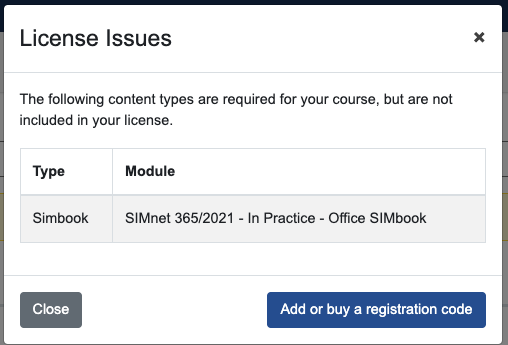
The license warning will help learners realize they have a license issue before taking an assignment and receiving the missing module error. The License Issues pill will display when the following is true:
a. Learner is not on a trial
b. Learner already has a license
c. An assignment in the course requires a license module that the student doesn’t have in any of their licenses.
## UI Updates
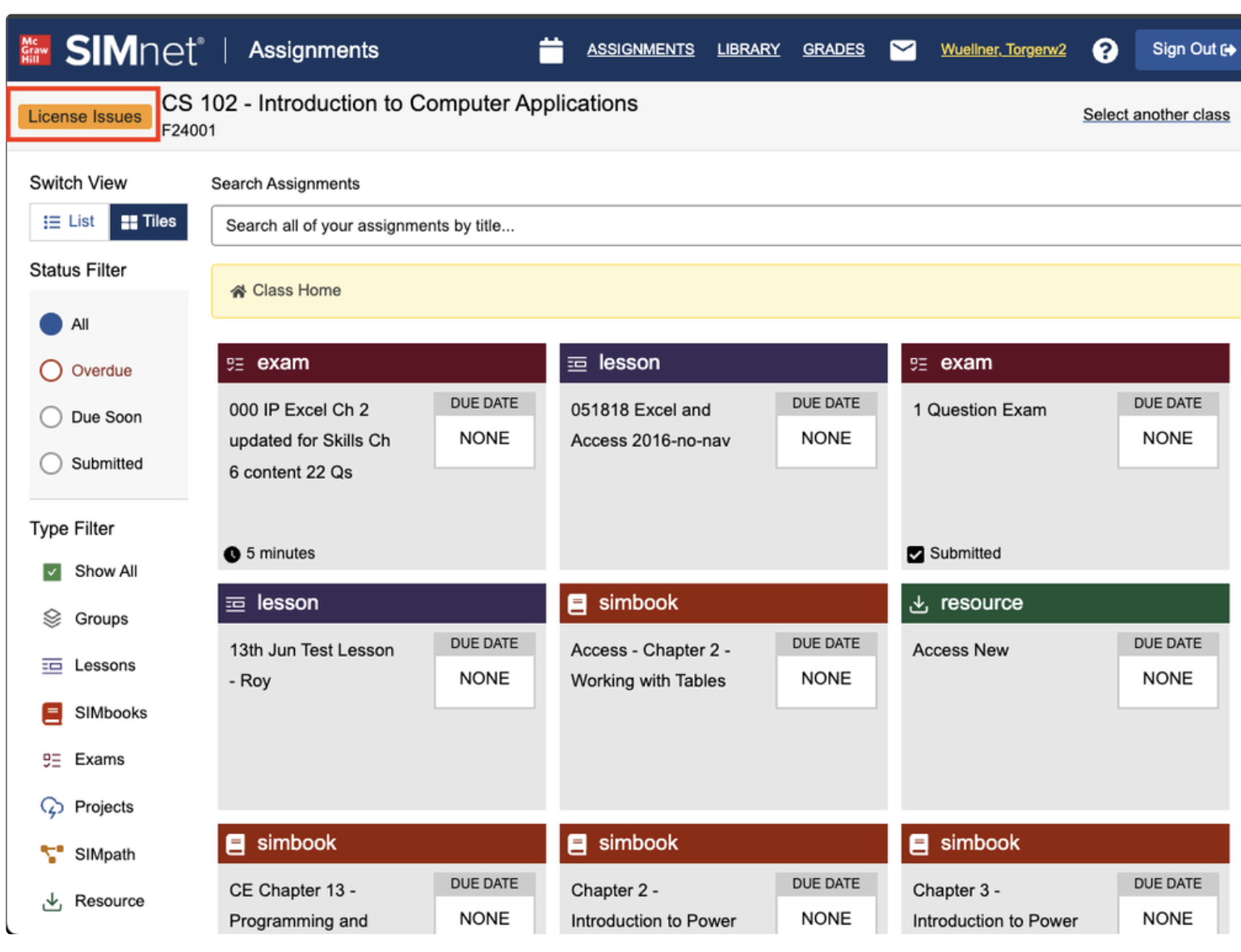
1. In the assignments selection view, there is a new License Issues pill.
Assignments view
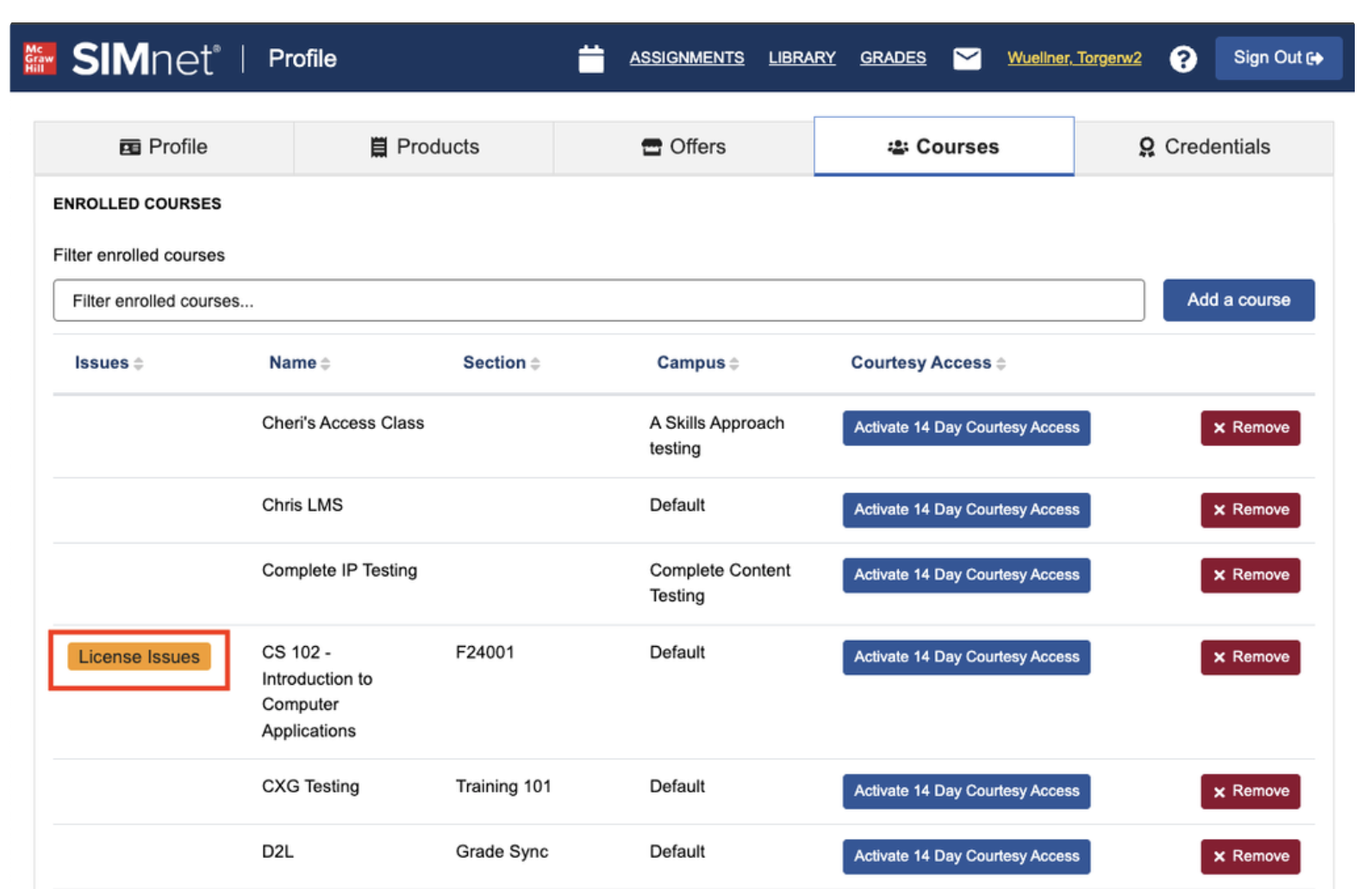
2. In the course enrollment view, there is a new License Issue pill.
Course Enrollment View
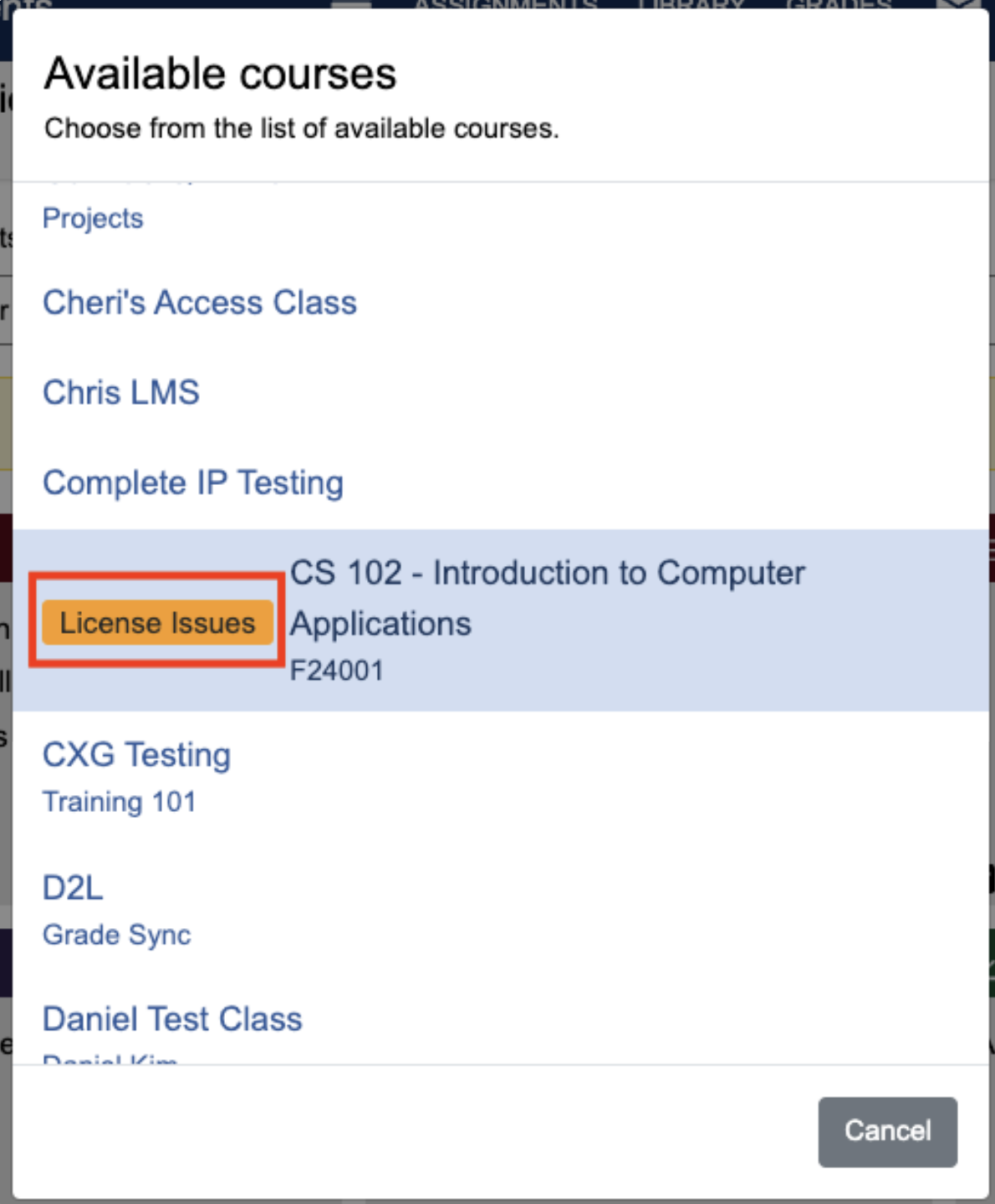
3. In the course selection view, thers is a new License Issue pill.
Course selection view
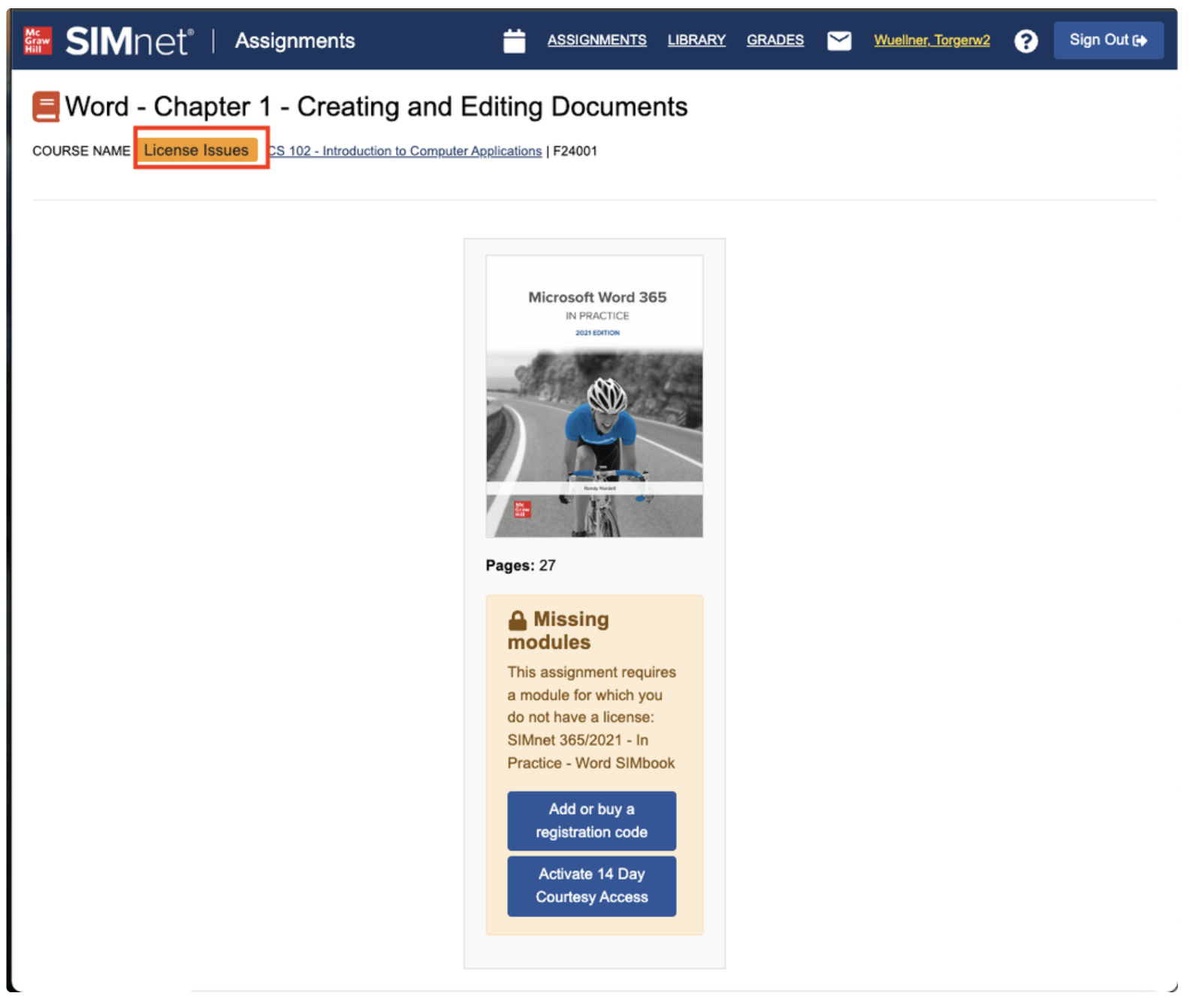
4. In the assignment details view, there is ia new License Issue pill.
Assignment view
5. Clicking only the License Issues pill presents a dialog that describes the content type their current license doesn’t contain access to.