> For the complete documentation index, see [llms.txt](https://help.simnetonline.com/blog/llms.txt). Markdown versions of documentation pages are available by appending `.md` to page URLs; this page is available as [Markdown](https://help.simnetonline.com/blog/current-post/updated-simnet-badge-names.md).
# Updated SIMnet Badge Names
The badge names in SIMnet are being updated.
## SIMnet badge names have been updated!
SIMnet badge names are now more descriptive to align to the Microsoft application levels.
| 1 | White Belt | **Essential Skills** in Microsoft \[Application] |
| - | ------------ | ------------------------------------------------------------ |
| 2 | Yellow Belt | **Applied Intermediate Skills** in Microsoft \[Application] |
| 3 | Purple Belt | **Advanced Skills** in Microsoft \[Application] |
| 4 | Black Belt | **Applied Expert Skills** in Microsoft \[Application] |
### Instructors
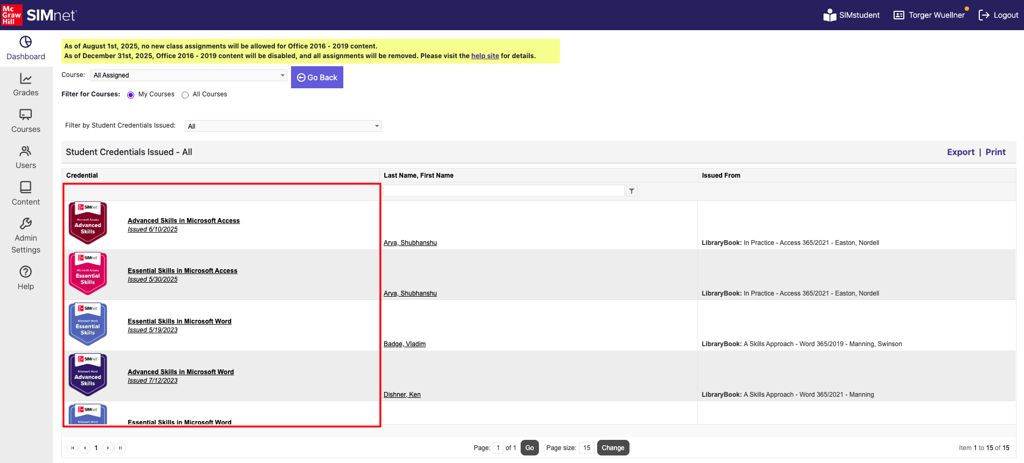
1. As an instructor, when viewing the dashboard, the **Credential Issued** tile will display the new badge name.
2. Clicking on *View All* in the Credentials Issued tile displays the Credentials by the new name.
3. In the **Course** **Overview Report**, the list of credentials issued for the course displays.
### Learners
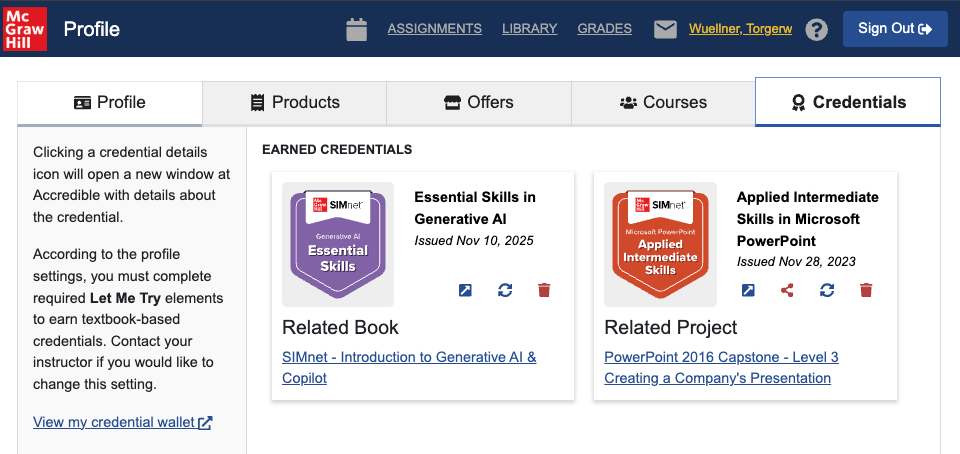
1. Learners can view the updated badge name and image in their Credentials wallet view.
2. Learners can view the updated badge image and name on the assignment where they earned it.
3. Learners can view earned and available badges in the relevant SIMbooks in their Library.
4. Learners that would like to update their previously earned badge to reflect the new badge name and image can click the refresh icon on their badge card.